
Select items
1
Open your profile
Go to your profile page. Its address is your username after the site address, for example gistr.so/yourname. Pick the Threads, Collections or Sources tab.
2
Tick the first item
Hover a row and tick its checkbox. On a phone, press and hold the row.
3
Tick more items
Tick more rows, or use the header checkbox to Select all. The header shows how many you picked, for example “3 threads selected”.
To confirm: the sidebar has no link to the profile page in the current code. Confirm how users get there (and the gistr.so domain) before this page goes live.
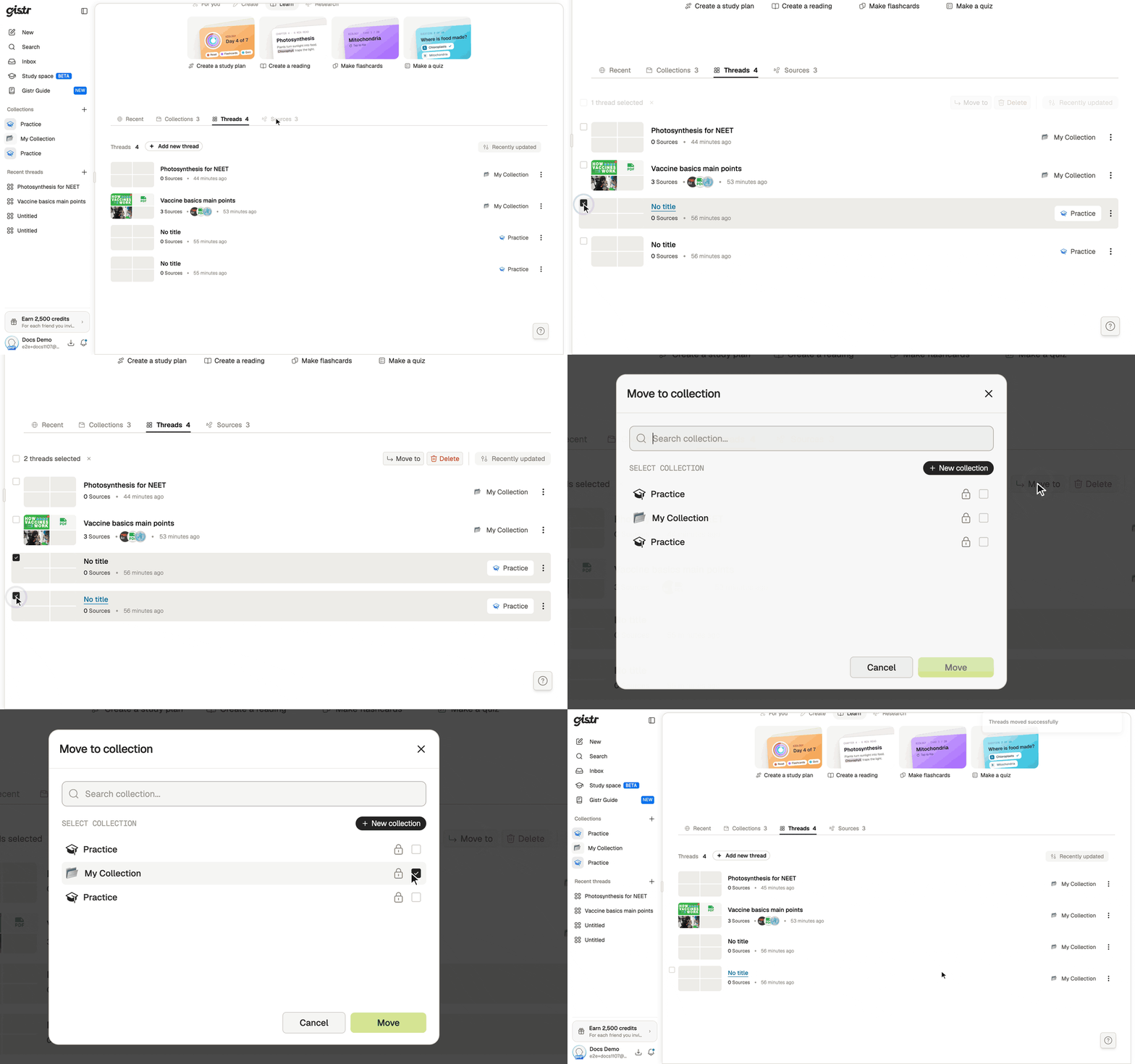
Select two threads and move them to a collection
What you can do
Threads
Click Move to, pick a collection and click Move. Click Delete to delete all selected threads.Sources
- New thread starts one thread with all the selected sources.
- Copy to thread adds the sources to one or more threads you pick. The sources also stay where they were.
- Copy to collection adds them to a collection.
- Move to collection moves them from one collection to another.
- The delete icon removes the sources from your library.