
Import your memory
1
Open Personalization
Click your profile at the bottom of the sidebar, then Settings, then the Personalization tab.
2
Start the import
Click Import memory. The Import memory dialog opens.
3
Copy the prompt
Under Copy this prompt, click Copy.
4
Ask the other assistant
Open the other assistant you have used before, paste the prompt into a new chat, and send it. It replies with what it knows about you under four headings: Basic Identity, Work & Education, Personal Context and Custom Instructions.
5
Paste the reply into Gistr
Copy the whole reply. Back in Gistr, paste it under Paste the response and click Import memory.
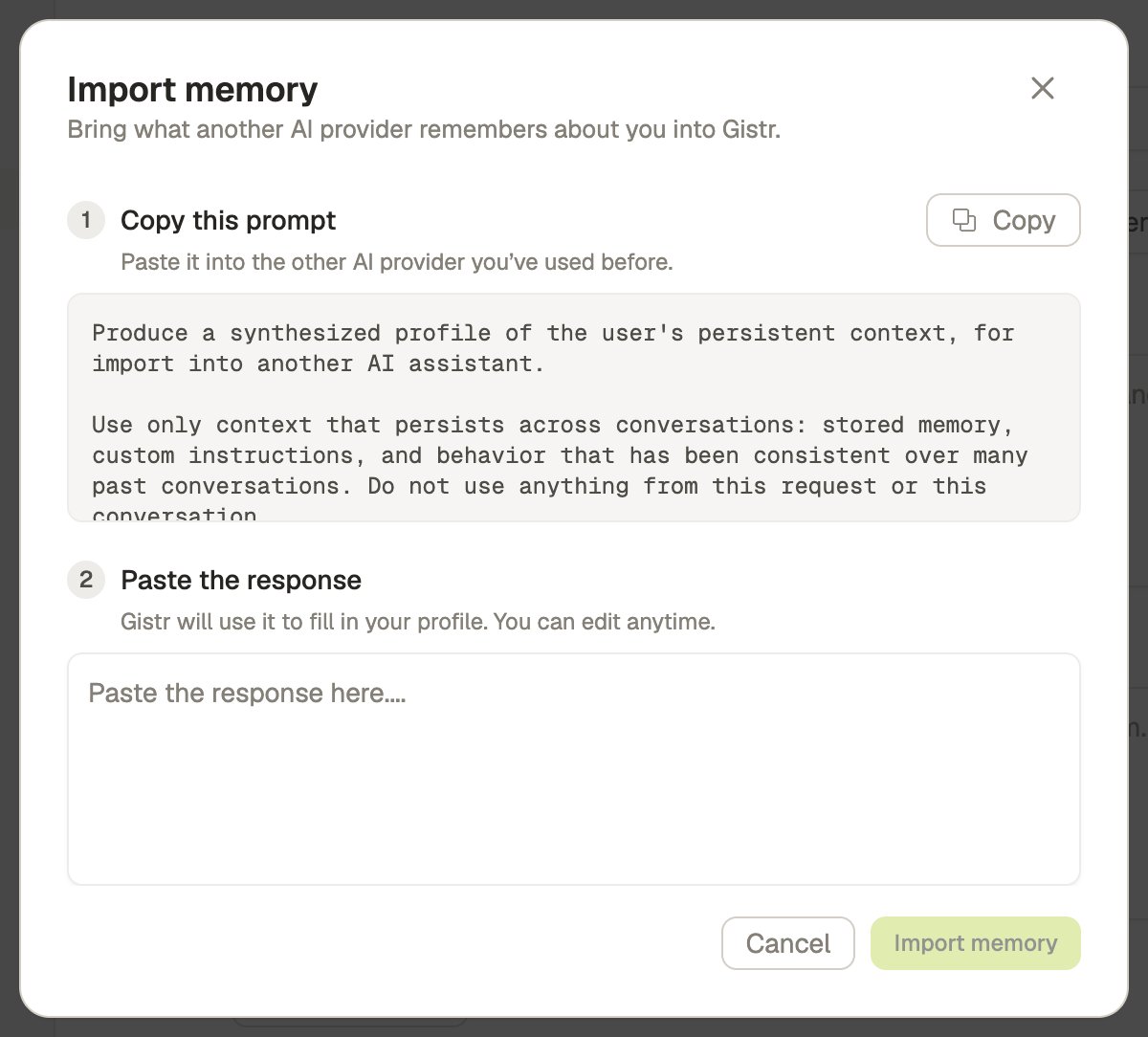
Import memory from another assistant
What Gistr fills in
Each field keeps its usual length limit, so Gistr cuts long text to fit. You can change any field afterwards. See Personalise how Gistr answers.
The import fills your Personalization profile. It does not add entries to your Memory notes. To add memories, see Memory.