
Create a collection
1
Open the new collection dialog
In the sidebar, find Collections and click the + button (New collection). You can also press ⌘⌥C on a Mac or Ctrl+Alt+C on Windows.
2
Name it
Type a name in Name. It needs at least 2 characters and at most 60.
3
Pick an icon and colour
Click the icon to the left of the name. Choose from the Icon tab or the Emoji tab, then choose one of five colours. Click # to type your own hex colour. A new collection starts with a random icon and colour.
4
Choose who can see it
Tick Keep this collection private so only you and people you invite can see it. If you leave it unticked, the collection is public.
5
Create
Click Create. Gistr opens the new collection.
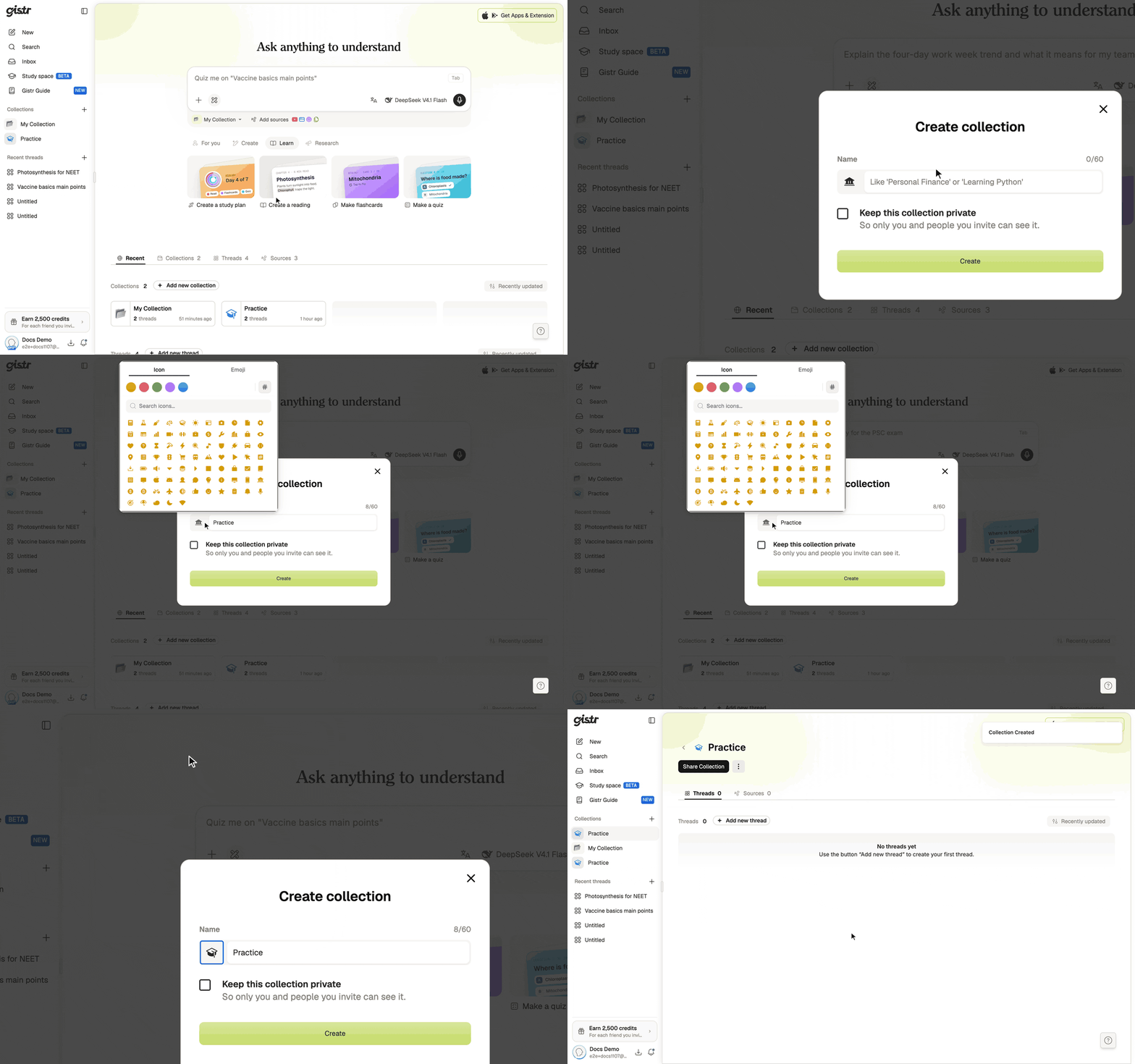
Create a private collection
Create a thread
In the sidebar, find Recent threads and click + (New thread), or press ⌘⌥T on a Mac or Ctrl+Alt+T on Windows. You can also ask a question from home and let Gistr make the thread for you. See Ask anything from home.Create a page
When a thread is open, the sidebar shows it under the thread title: first Chat, then your pages. Click New page to add a page. Drag pages to change their order. To learn what goes on a page, see Writing notes.Rename, move and delete
Hover a row in the sidebar and click More options (the three dots).- To rename a collection, use Edit collection. The same dialog lets you add a Description of up to 120 characters and change the icon, colour and privacy.
- To move a thread, click Move to collection, pick the collection and click Move. You can also click New collection in that dialog.
- You can also rename a thread by double-clicking its title in the sidebar.