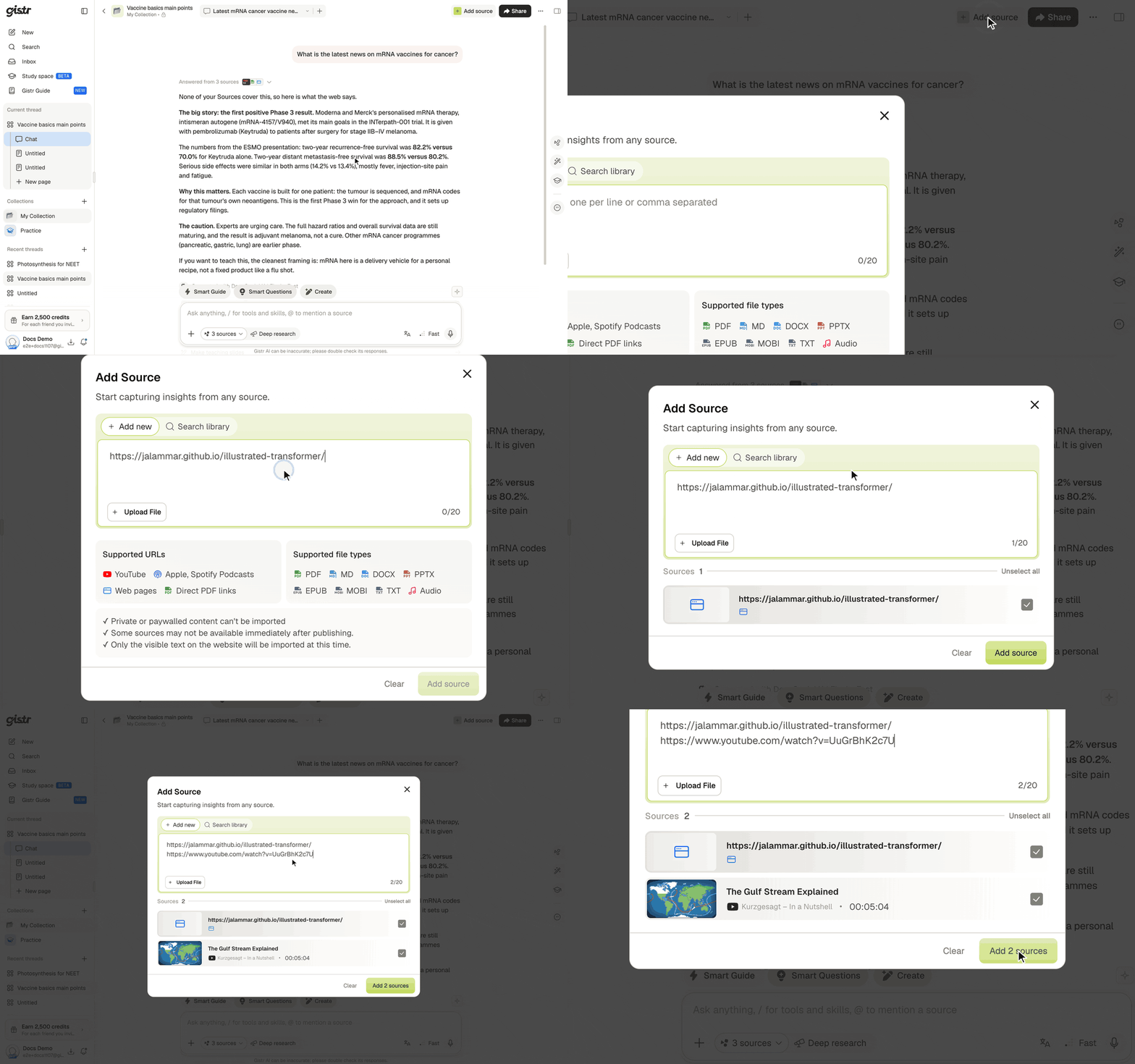
In a thread, select Add source at the top, paste your links or upload files, then select Add source. Gistr starts reading each link as soon as you paste it, and the new source opens beside the chat when it is ready.
The Gistr Add Source window with two pasted links shown as previews and the Add 2 sources button.

Add two links in the Add Source window

1

Open the add source window

Select Add source at the top of the thread. You can also select + in the message box, then New source.
2

Paste links or pick files

Under Add new, paste your links into the box, one per line or separated by commas. To add files, select Upload File, or drag files into the window.
3

Check the list

Each link shows a preview with a tick box. Untick anything you do not want. The counter under the box shows how many you have picked.
4

Add them

Select Add source, or Add 3 sources when you picked more than one. Select Clear to start again.
You can add up to 20 sources at one time. Your plan also sets how many sources one thread can hold, see Plans.

Drop files into the chat

You can also drag files onto the chat. Documents wait as cards above the message box and are added to the thread when you send your message. Images you drop are attached to the message instead, see What can I add?.

Reuse a source from your library

Every source you add is kept in your library. To add one to another thread, open the add source window and select Search library. Type a few words in Search for sources already added to Gistr, pick the source, then add it. If the same link is already in the thread, Gistr does not add a second copy.

Add from your Inbox

Items you saved for later can go straight into a thread. Select + in the message box, then Add from inbox, tick the items under Select sources, and select Add sources. See The Inbox.

YouTube playlists

Paste a playlist link. Gistr lists the videos so you can pick the ones you want and load more. Playlists are on some paid plans only; on other plans Gistr asks you to upgrade. See Plans.

Try it

Open any thread, select Add source, paste one web page link and one YouTube link on separate lines, and select Add 2 sources.