
What you can ask for
Gistr AI can also read your notes (Reading your notes) and check which pages you have (Checking pages) before it writes, so new notes fit what is already there. It can rename a page or name the thread.
On a PDF or web page, asking for Auto-Highlight makes the AI pick the passages itself and highlight them.
Auto-Highlight on a video uses credits. If the source already has auto highlights, you get the same ones again at no charge. See How credits work.
Gistr AI cannot add a source to your thread by itself. It can suggest web pages, and you choose which to add. See Your sources, the web, or both?.
Follow each step in the trace
While Gistr AI works, a line above the answer shows what it is doing, for example Making sense of your sources…, with a timer. When it finishes, the line folds into a short header:- Answered from 3 sources when the answer used your sources.
- Answered in 12 seconds when it did not.
- Created from or Prepared from when it made something rather than answering.
- Thought for 6 seconds in the small floating chat.
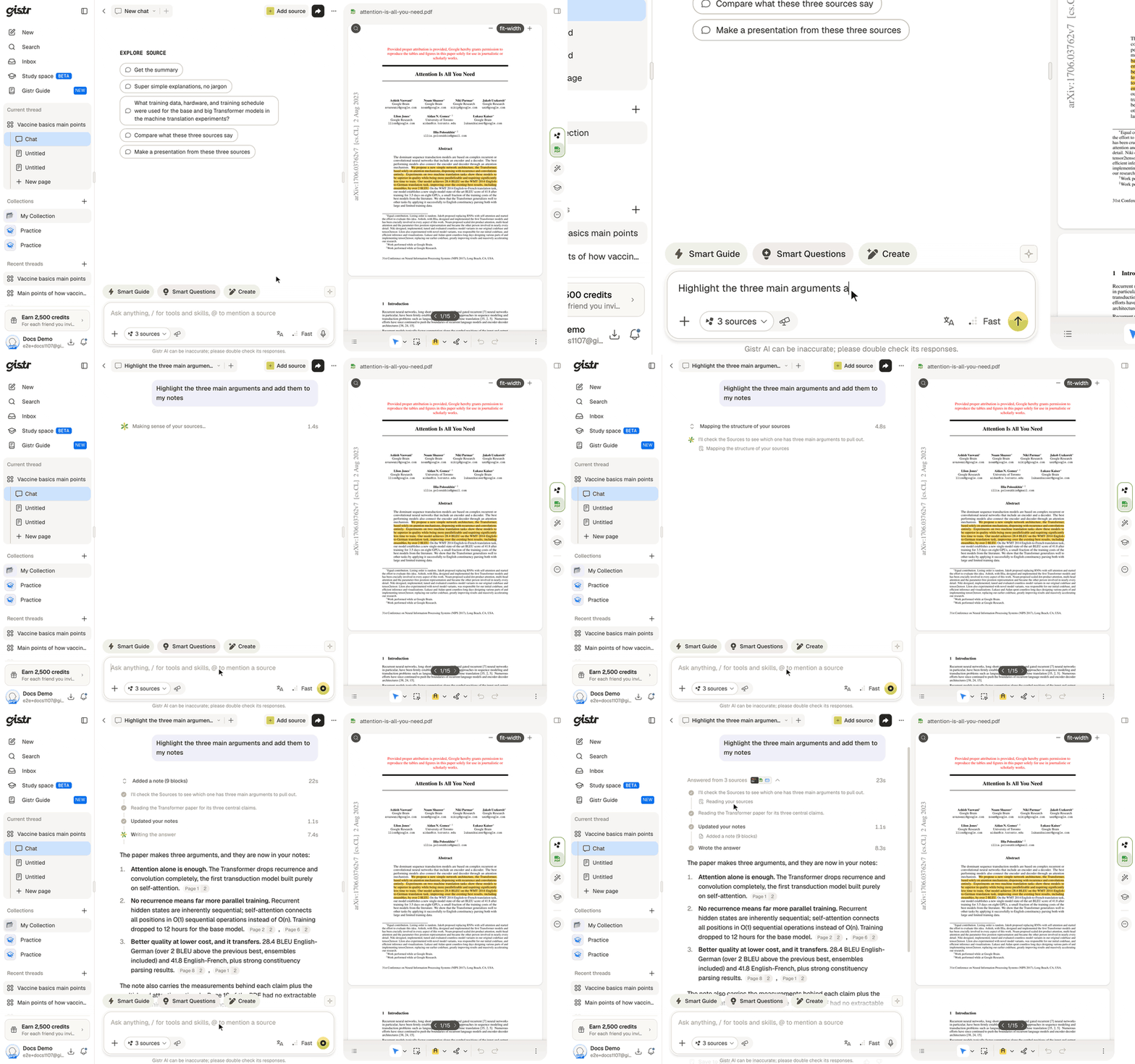
Each step the AI takes shows above the answer