
Start the review
Select Study space in the sidebar to open the Study page. Due today shows up to three things to do, each with one button:- Start review for due flashcards and quiz questions
- Start reading for the next reading in a plan
- Take a quiz for a quiz that is waiting
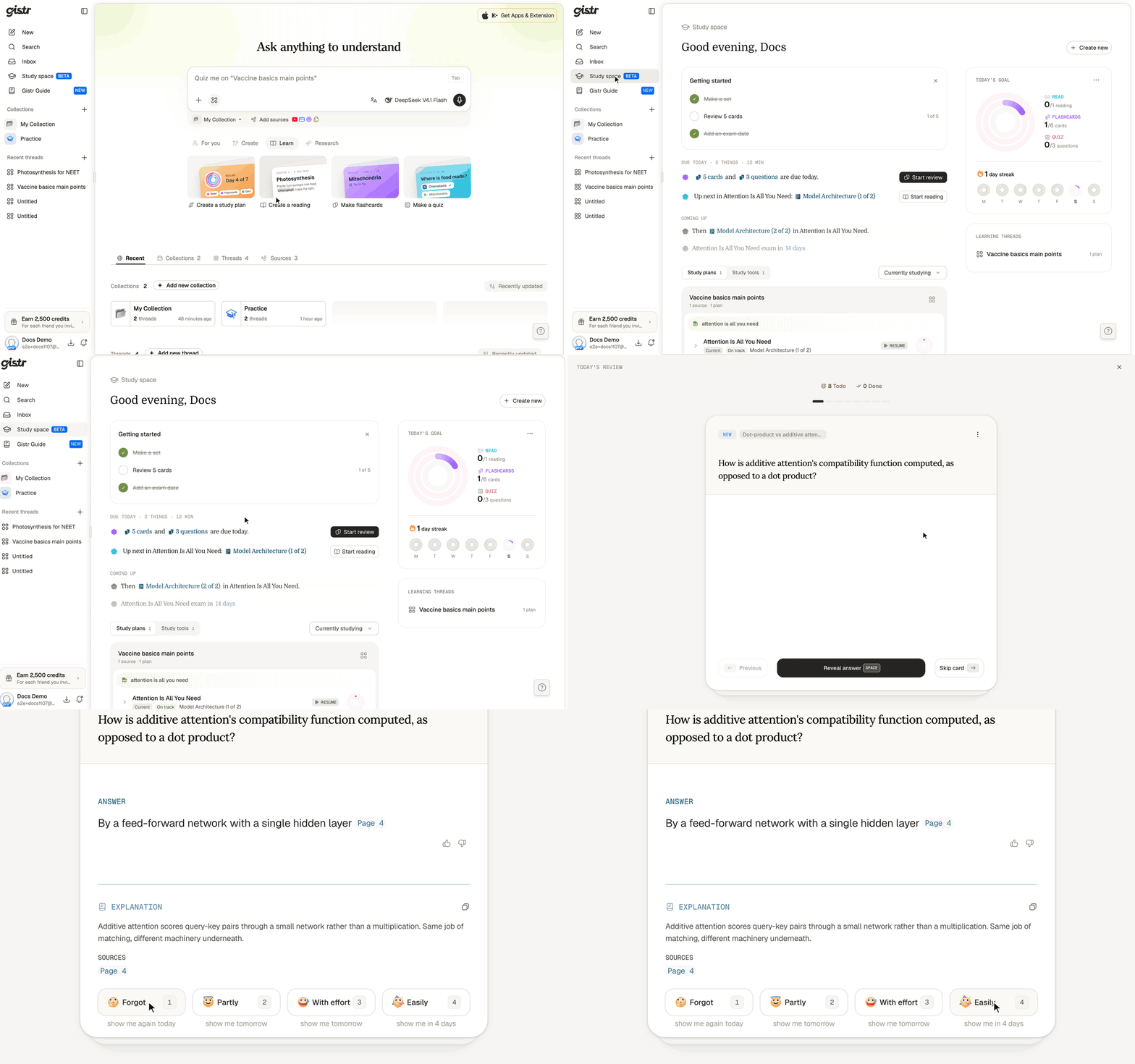
Start the daily review and rate a card
Rate each card
After you see the answer, pick one of four ratings:
Under each button Gistr shows when the card comes back: today, tomorrow or in a number of days. Dates are always whole days. Forgot brings the card back later in the same session when there is time, so you can try it again.
If you study a card that is not due yet, your answer counts as practice. It does not change when the card comes back.
How Gistr picks the next date
Gistr uses spaced repetition. Each card keeps a record of how well you know it. Every rating updates that record and moves the next review to the point where you are likely to start forgetting. Your plan level also changes how hard the schedule pushes. A refresh plan spaces reviews a little further apart.New cards for your weak spots
If you keep missing the cards on one subtopic, Gistr writes five new cards on it. Three come at a simpler level than the cards you missed, and two come at the same level from a different angle. They join your review first. Gistr does this at most once a week for each subtopic, and only when there are few cards on it already. These cards are never charged.Choose what the review includes
In Settings, under Study Space, find Include flashcards from:- Currently studying threads: every active plan and set
- Exam threads only: study plans with exam dates