
Create a plan
1
Open Study Space
In a thread, select the graduation cap icon (Study space) in the rail at the right of the thread. Select Create a plan, or Create new and then Create a plan.
2
Choose source and sections
Pick a source. A thread with one source opens with it chosen. Gistr reads the source and lists its parts, with a page number or a timestamp where it has one. A long source can take a minute the first time. Untick the sections you do not need, then select Continue.
3
Personalize your plan
Under How well do you know this?, pick one level. You can also take the level check (see below).
4
Add a deadline (optional)
Open More options and choose I have an exam or deadline. Then pick the date.
5
Create the plan
Select Create plan. Gistr builds the plan in the background. You can close the panel and come back.
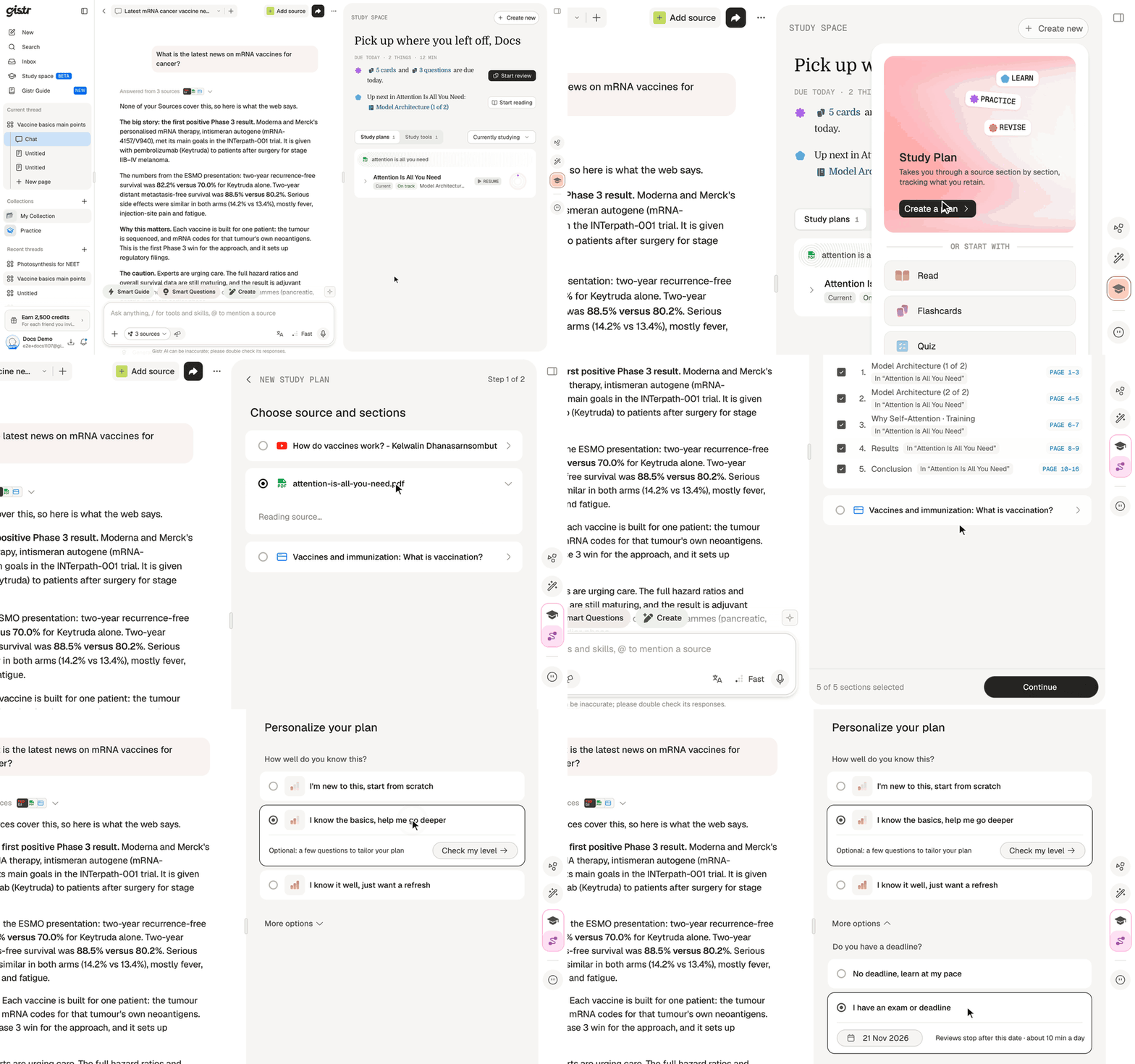
Create a study plan in two steps
Pick your level
Your level does not make explanations simpler or shorter. It changes which material each section gets, the mix of questions, and how hard your review schedule pushes.
Take the six-question check
Not sure of your level? Pick the basics or refresh option, then select Check my level under it. The check is optional. Gistr writes six multiple-choice questions spread across the sections you chose. They show one at a time, full screen.- Answer each question and select Next. Select Skip check to leave.
- At the end, Gistr suggests a level. Get every question right for a refresh plan, and most of them right for a basics plan. Otherwise it suggests starting from scratch.
- Select Continue to accept the level, or Change level to pick your own.
Set an exam date
Under Do you have a deadline?, choose I have an exam or deadline. The date starts two weeks from today and can be any day from tomorrow on. Gistr shows about how many minutes a day the plan needs. The date changes your review schedule, not the material:- Reviews for the plan stop after the exam date.
- Gistr keeps the last four study days before the exam for a final pass.
- The plan shows a pace line and a pill: On track, a number of days behind, Ready when every section is studied, or Exam day.