
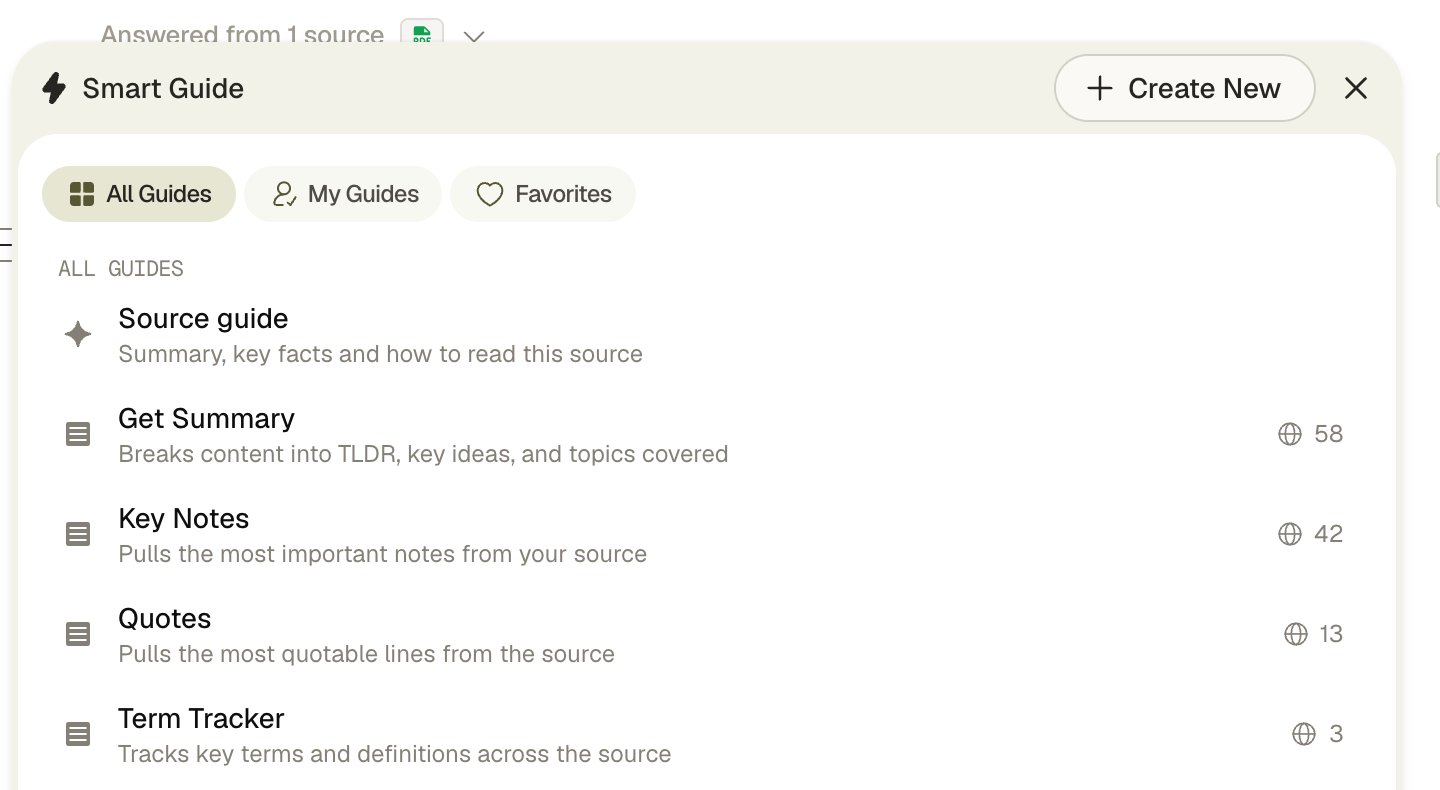
The Smart Guide panel with All Guides, My Guides and Favorites
Source guide: summary and facts
The first item in the Smart Guide panel is Source guide (“Summary, key facts and how to read this source”). Click it to open the guide in the source panel. Gistr makes it the first time you view a ready source. The guide has:- A summary of the whole source.
- Source facts: Topics, Key Claims, Key Entities and Coverage gaps.
- Ratings: Difficulty, Signal-to-noise, Knowledge depth, Time sensitivity, Authority and Stance.
Smart Questions
The Smart Questions panel lists questions that Gistr AI wrote for this source. Click one to ask it in the chat. If Gistr cannot write them at that moment, you see Smart questions are unavailable right now. Showing fallbacks. and four general questions instead, such as a summary and the five most important takeaways.Smart Guide prompts
The rest of the Smart Guide panel is a library of prompts that each produce one output from your source. The panel has three tabs: browse them under All Guides, keep your own under My Guides, and open a guide’s details and click the heart (Add to favorites) to find it later under Favorites. Your three most recent guides show at the top. Guides cover everyday reading, studying, creating and research. Some examples:To confirm: the outline says “over 40” one-click outputs. The live guide library had 29 public guides on 7 Nov 2026, plus 6 Create cards. The list comes from the database and can change, so this page does not give a count.